AI masks on your existing pages
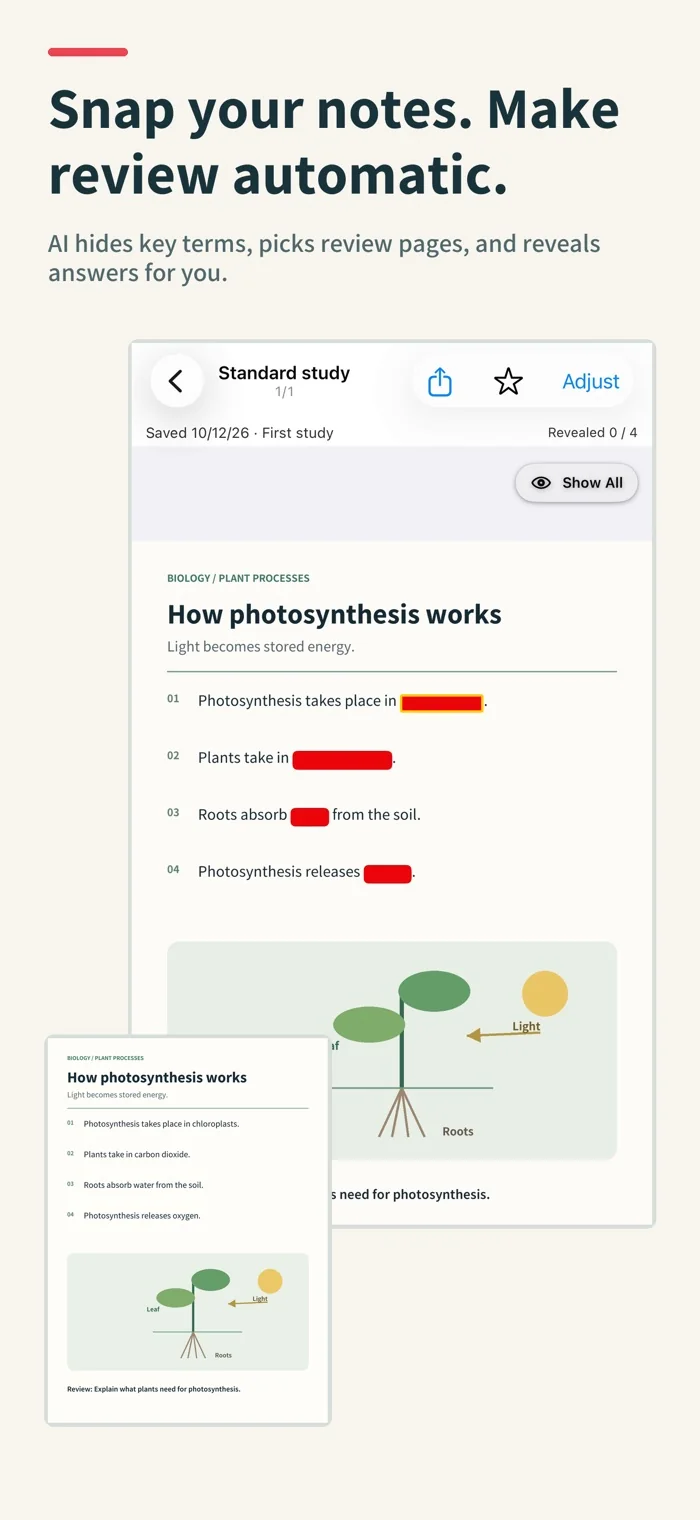
Import photos and PDFs, then edit the suggested masks when needed.
Import textbooks, worksheets, notes or PDFs. AI masks key terms, picks review pages, and Auto reveals answers after 3 seconds—on the original page, without rebuilding flashcards.
3 free saves, then 10 after your first study session | Unlimited saves: one-time $4.99
Import → AI masks → Reminders → Auto review
AI Study Sheet 4.0
Skip rebuilding your materials. Spend more time recalling what you learned.
Import photos and PDFs, then edit the suggested masks when needed.
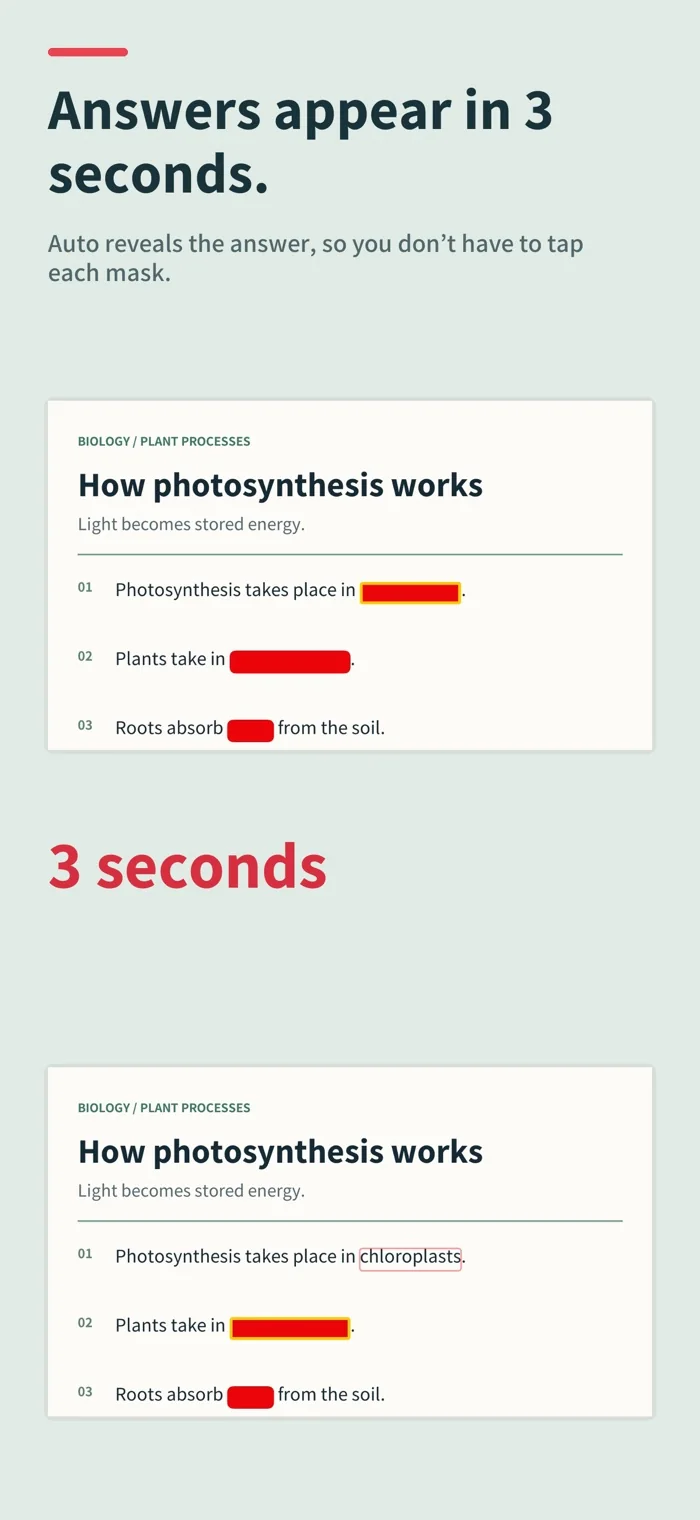
Auto reveals highlighted answers after 3 seconds. Work with 1–5 simultaneous masks.
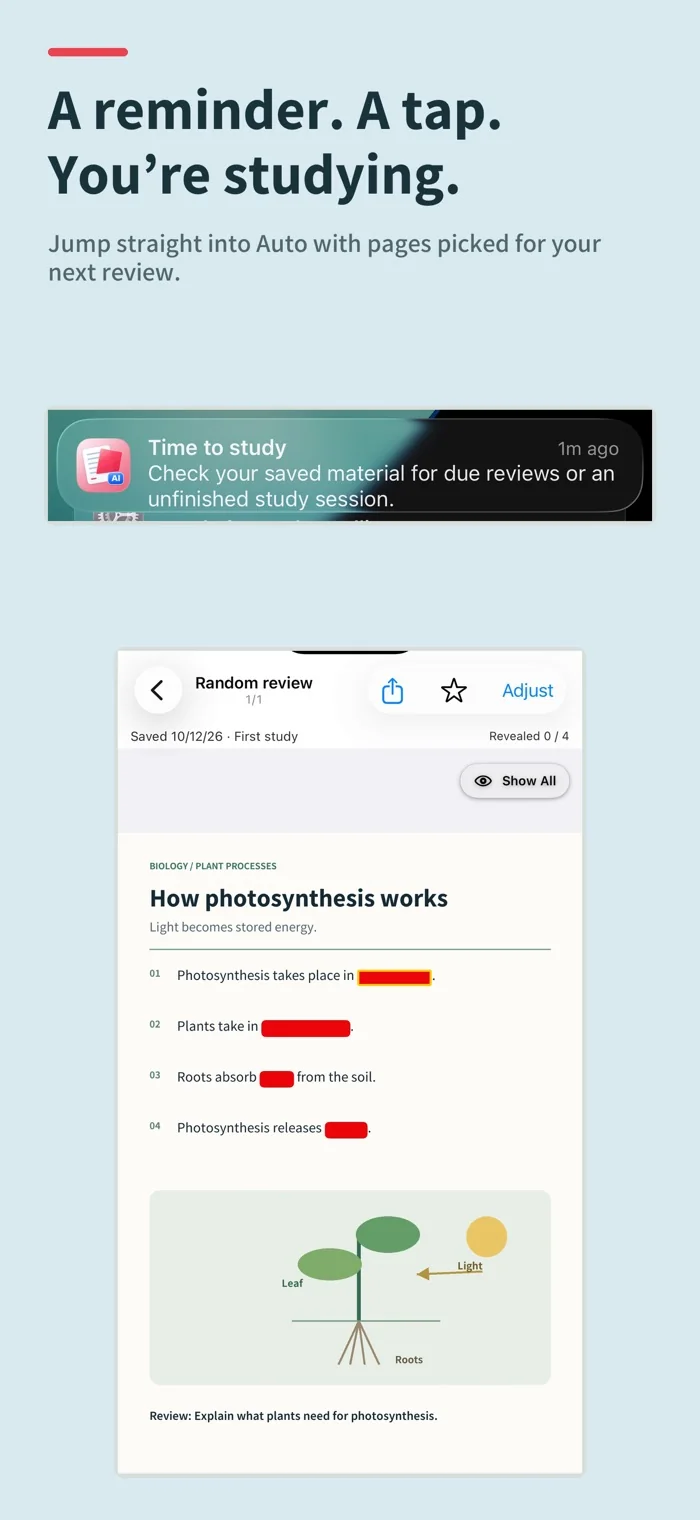
With notifications enabled and pages due, tap a reminder to enter Auto with selected study pages.
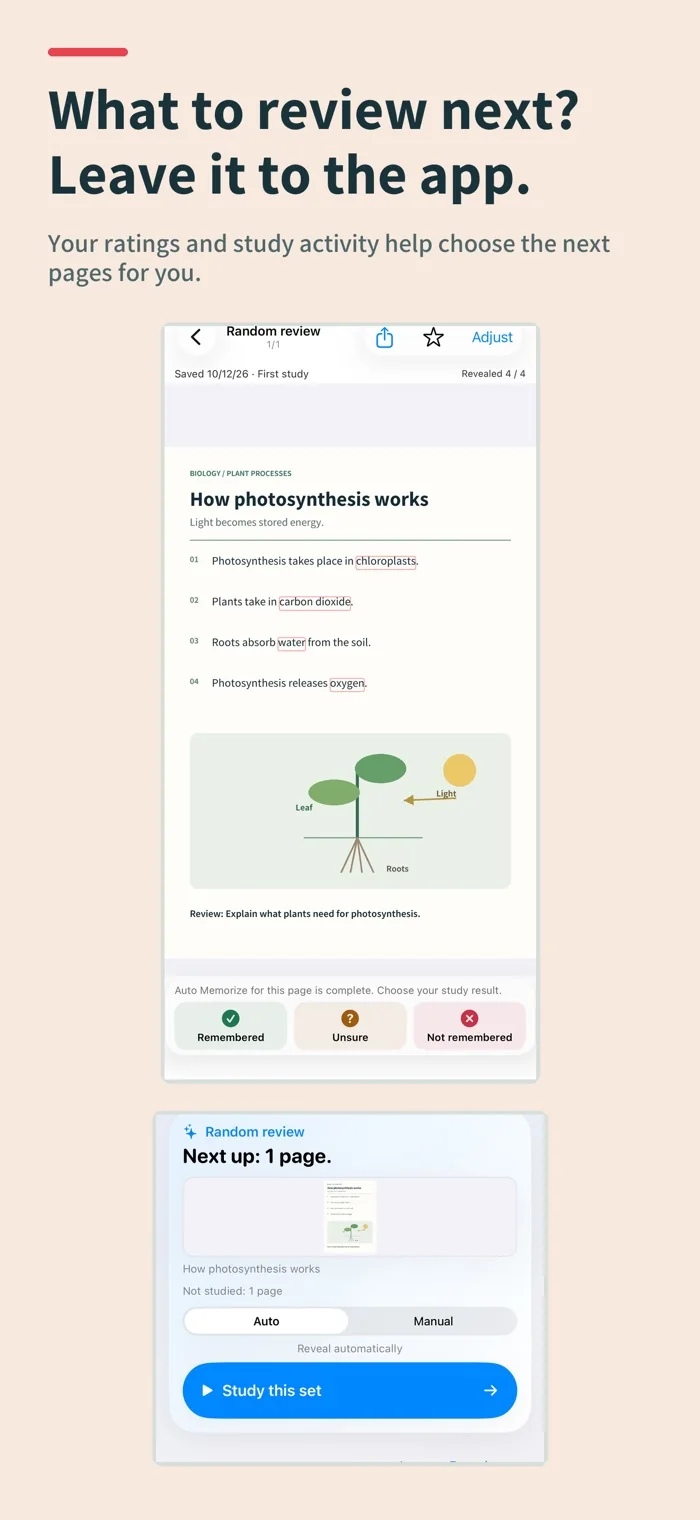
Your three-step ratings, study activity and review timing help select pages; answers are not graded automatically.
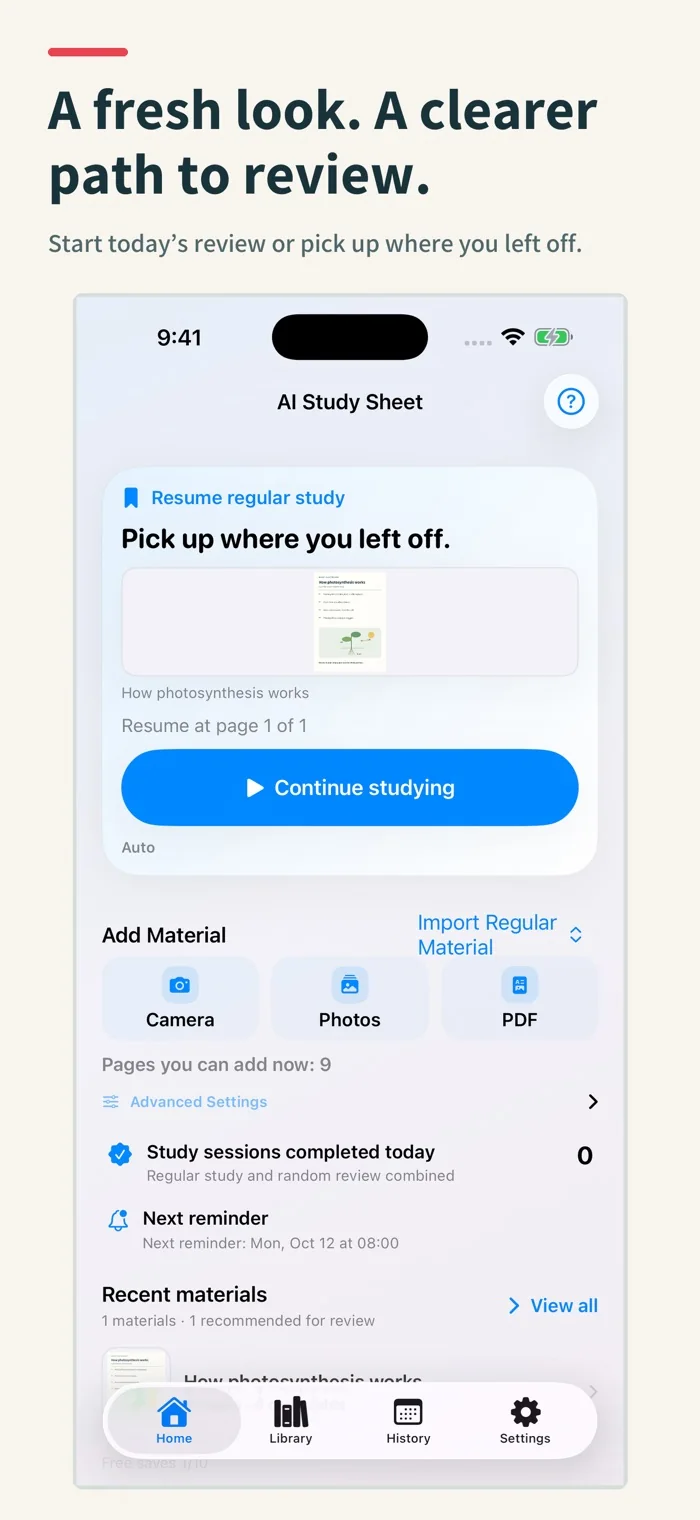
Find today's review, resume sessions, browse grid-based materials, search folders and restudy manually.
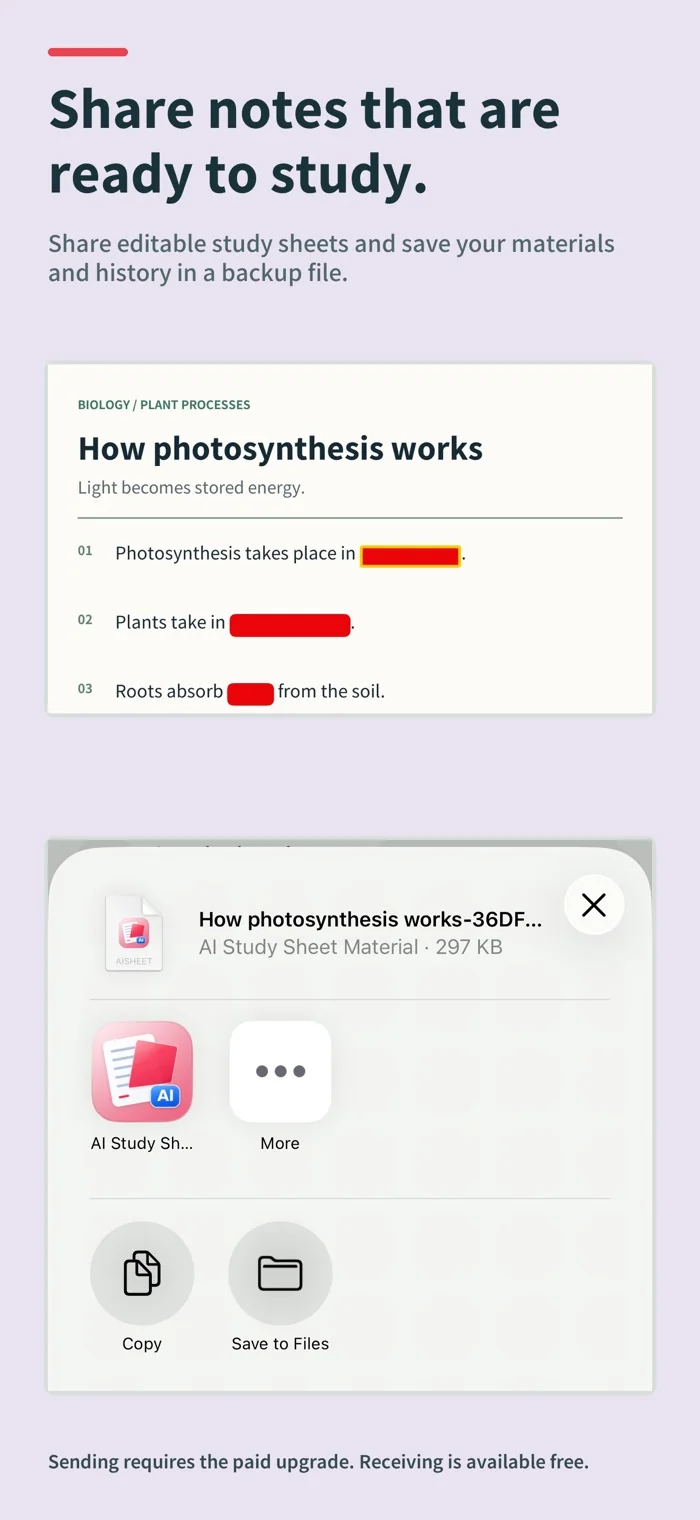
Sending masked materials requires the paid upgrade; free users can receive. Backups save materials and learning history to a file.
Spend less time making flashcards and more time learning
Instead of rebuilding every question, simply import your material. AI Study Sheet reads the text, identifies likely study terms, and overlays masks on the original layout
Built for the way you study
From schoolwork to professional exams, keep using your existing materials and move straight into practice and review
School exams
Import textbooks, class handouts, and notes, then repeatedly review exactly what was covered in class
Entrance exams
Memorize history terms, science vocabulary, maps, charts, and other visual material without losing the original context
Professional learning
Import law, accounting, IT, medical, and other professional texts or PDFs for review during commutes and spare moments
Language learning
Hide the parts you want to learn in your existing materials and test yourself repeatedly without rebuilding a flashcard deck
Three simple steps
Try it free with multi-page materials, photos, or PDFs and see how it works with your own content
Capture material, select photos, or import a PDF. Photo batches allow up to 20 images within available free slots. PDFs have no fixed 20-page cap.
Use the AI selection as-is, add or remove terms, or set masks manually from the start. Choose the workflow that fits your material and study method.
Study in order, randomly, or with weak points first. Swipe between pages, tap to reveal one answer, or swipe up to reveal all. Choose 10, 20, 50, or all questions.
Start automatically, then make it yours
The app analyzes content automatically and prioritizes likely key terms. Choose a material type to further guide the extraction
Choose Low, Standard, High, or Before a test. Remove or add masks and switch patterns. Manual mask editing, density changes, and pattern switching are unavailable in pre-marked-material mode.
Search titles, notes, recognized text, and extracted terms, then filter by folder or review status
Save review results and counts, then prioritize materials marked not remembered or uncertain
Back up materials, images, folders, masks, and study history together, or share an image with masks applied
See AI Study Sheet in action
App screens with sample study materials.
On-device processing
Material images, recognized text, key terms, masks, and saved data are processed on your device. Study materials are not uploaded to external AI services or Toybird Labs servers. Exporting a backup or sharing sends data only to the destination you choose.
iPhone or iPad with iOS / iPadOS 16 or later. iOS / iPadOS 26 or later can use newer document recognition. Background processing is used only on supported devices when permitted by the OS. Otherwise, keep the app open or return to resume processing.
A one-time purchase designed for long-term use
There is no monthly or annual subscription. To keep long-term use affordable, unlimited saves are unlocked with a one-time $4.99 purchase
Start with three free saved pages. Complete your first study session to permanently expand the free limit to 10. Reserved slots and drafts from active imports also affect available capacity. No recurring charges. Check the price shown before purchase.
Frequently asked questions
Import with the camera, photos, or a PDF and process pages in order. PDFs no longer have a fixed 20-page cap. Open ready pages, pause, resume, or retry an import. Free save slots, device storage, and document size still apply.
Standard mode extracts key terms. The pre-marked-material mode uses existing red or orange text and highlighting in your material. It cannot recover text that is fully obscured in the original image.
Choose Low, Standard, High, or Before a test. Remove or add masks and switch patterns. Manual mask editing, density changes, and pattern switching are unavailable in pre-marked-material mode.
Start with three free saved pages. Complete your first study session to permanently expand the free limit to 10. Reserved slots and drafts from active imports also affect available capacity.
Material images, recognized text, key terms, masks, and saved data are processed on your device. Study materials are not uploaded to external AI services or Toybird Labs servers. Exporting a backup or sharing sends data only to the destination you choose.
iPhone or iPad with iOS / iPadOS 16 or later. iOS / iPadOS 26 or later can use newer document recognition. Background processing is used only on supported devices when permitted by the OS. Otherwise, keep the app open or return to resume processing.
Stop preparing and start remembering
Try it free on iPhone and iPad